 RAZKOM
Markdown, opened properly.
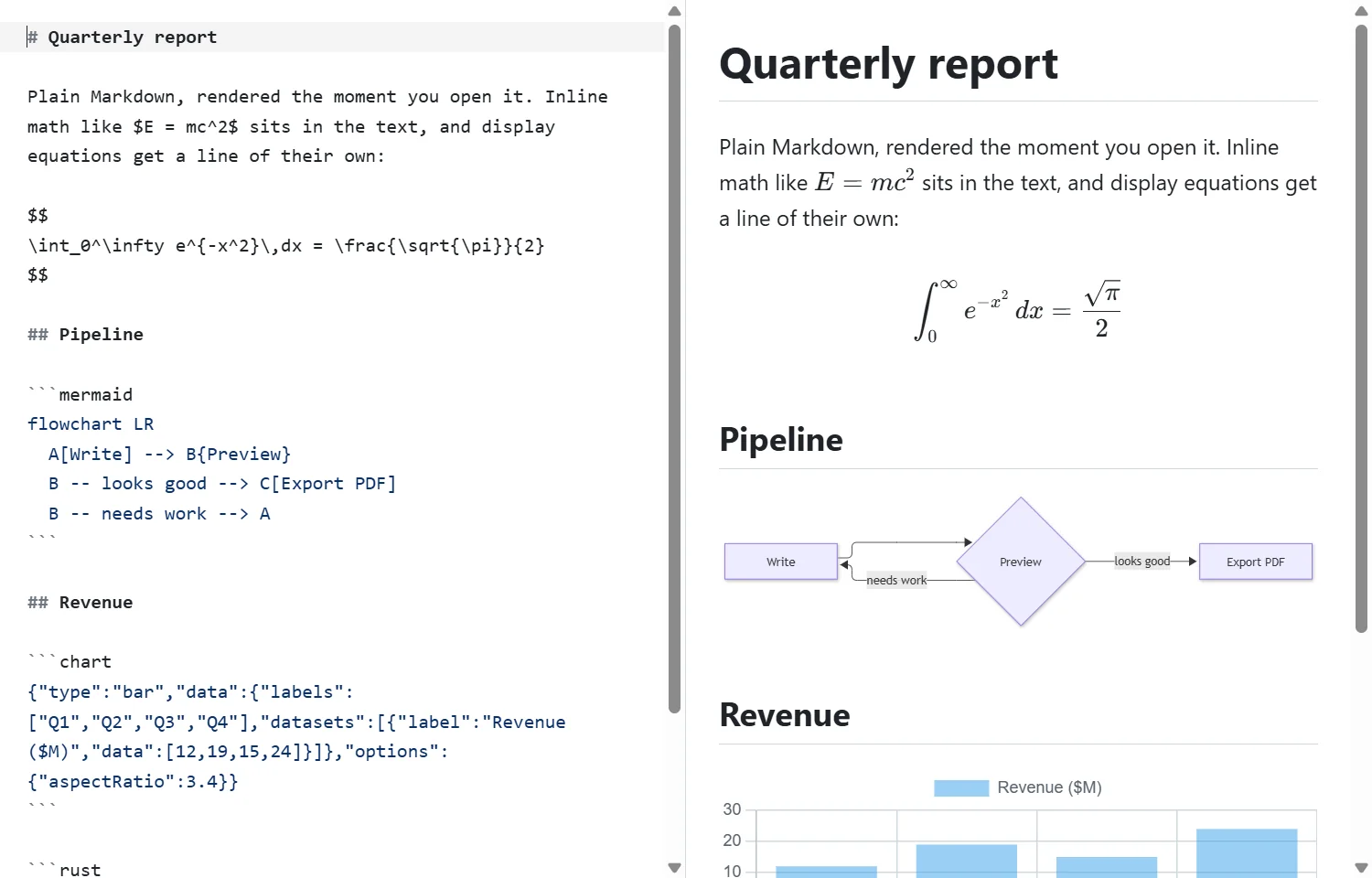
mdown notes.md opens the file in its own window, nicely rendered. Press Ctrl/⌘+E to edit it next to a live preview, and print it to PDF when you're done. It uses the web view your OS already has, so there's no bundled browser.
01install
cargo
cargo install mdowncargo-binstall
cargo binstall mdownfile manager
mdown installOr grab a prebuilt archive from GitHub Releases. mdown install adds “Open with mdown” to the right-click menu and can make it the default for .md files; mdown uninstall takes it all out again.
02what it renders
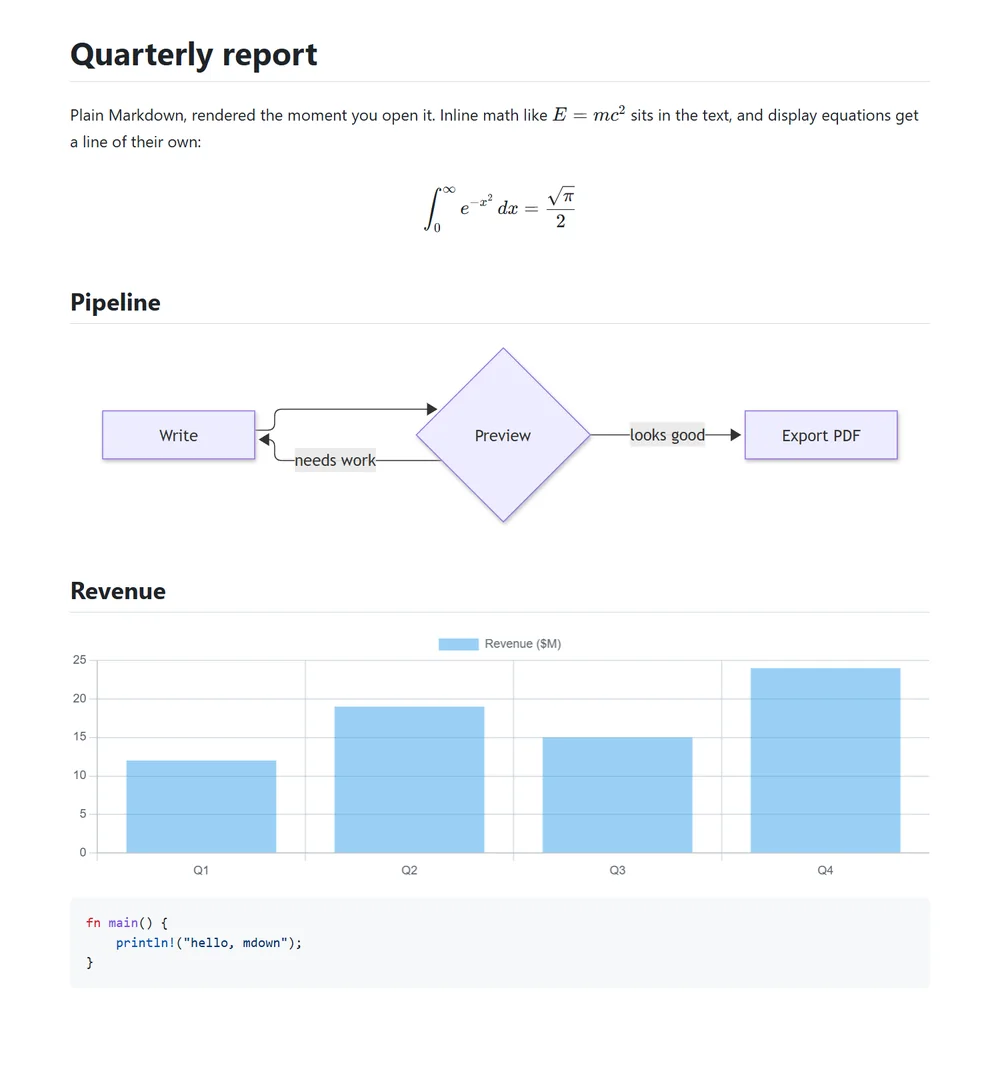
GitHub-flavoured MarkdownTables, task lists, footnotes, heading anchors, alerts like
[!NOTE], and sanitised inline HTML.Math
$inline$ and $$display$$ equations with KaTeX.Diagrams and chartsMermaid fences, and
chart fences that take a Chart.js config as JSON.3D models
.glb, .gltf and .stl files embedded like images, with drag to orbit and scroll to zoom.CodeSyntax highlighting for 28 languages, loaded only when a document uses them.
Always currentThe view reloads when the file changes on disk, and asks first if you have unsaved edits.
03usage
mdown notes.md                # open a file
mdown a.md b.md c.md          # one window each
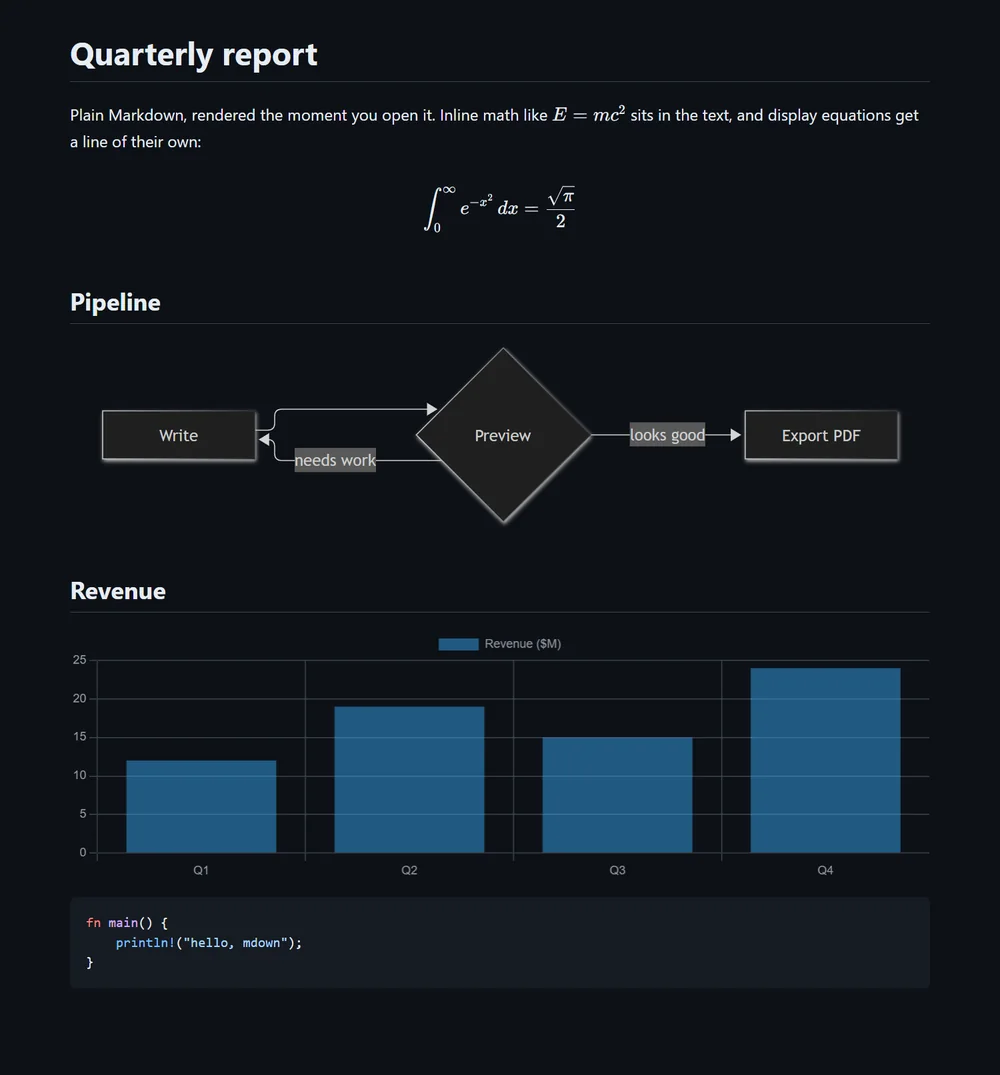
mdown theme dark              # system, light or dark
mdown install --all --yes     # right-click entry + default app

# in the window
Ctrl/⌘+E        edit with live preview
Ctrl/⌘+F        find in page
Ctrl/⌘+Shift+O  contents panel
Ctrl/⌘+P        print or save as PDF
04spec
| platform | Windows 10 / 11 (WebView2), macOS 11+ (WKWebView) |
| size | ~8 MB, no bundled browser |
| stack | Rust + tao / wry, CodeMirror editor |
| install | cargo install mdown or a prebuilt archive |
| settings | Theme, text size and page width, shared by every window |
| license | MIT |
| cost | Free |